
Download Blisk – Free Web Testing Browser for Developers
Overview
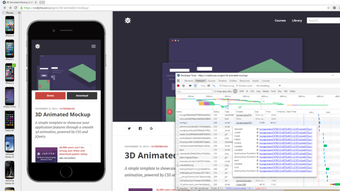
Blisk is a purpose‑built web browser that puts the developer’s workflow at the center of its design. Unlike conventional browsers that focus on end‑user browsing, Blisk offers a suite of testing‑oriented tools that let you see how a site behaves on a range of devices, frameworks, and languages—without leaving the desktop. The most noticeable feature is its live‑reload capability: whenever you edit a source file, Blisk automatically refreshes the page, giving you an almost instantaneous preview of changes.
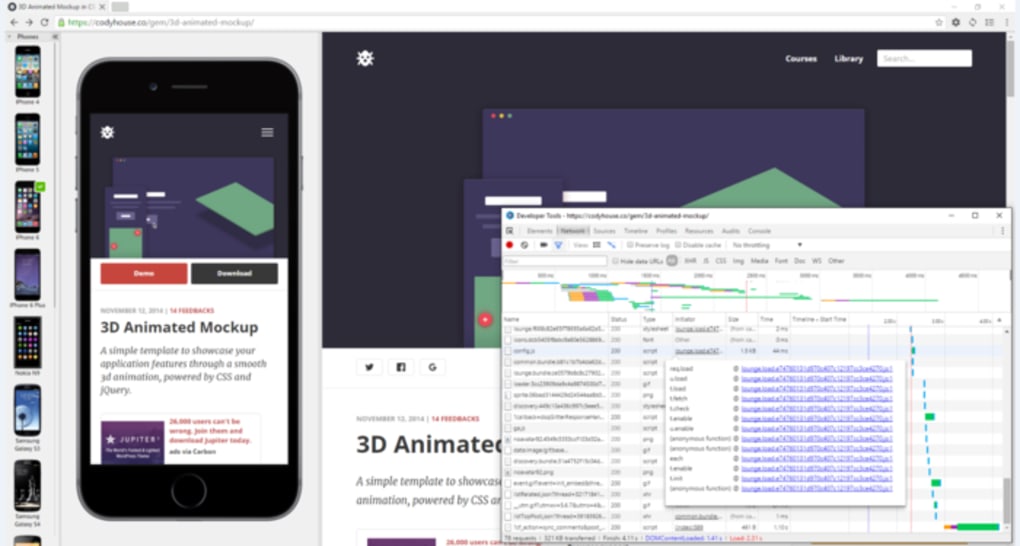
This reduces the repetitive “save‑refresh‑inspect” cycle that can drag a development session into a tedious marathon. In addition to live reload, Blisk bundles a full‑featured DevTools console that mimics Chrome’s debugging environment but adds mobile‑device emulation out of the box. You can toggle between desktop, tablet, and phone viewports with a single click, and the tool will automatically adjust viewport size, pixel density, and even user‑agent strings.
For teams that work across multiple operating systems, Blisk supports Windows, macOS, and Linux, and it integrates smoothly with popular IDEs through extensions and command‑line flags. While the browser is free to download and use, it also offers premium plans that unlock additional device profiles, advanced synchronization, and priority support. Overall, Blisk aims to streamline the testing loop, cut down on manual steps, and give both new and seasoned web developers a reliable sandbox for building responsive, standards‑compliant sites.
Key Features that Make Blisk Stand Out
- Live Reload Engine: Automatically refreshes the active tab whenever a linked HTML, CSS, or JavaScript file changes on disk, delivering near‑real‑time feedback.
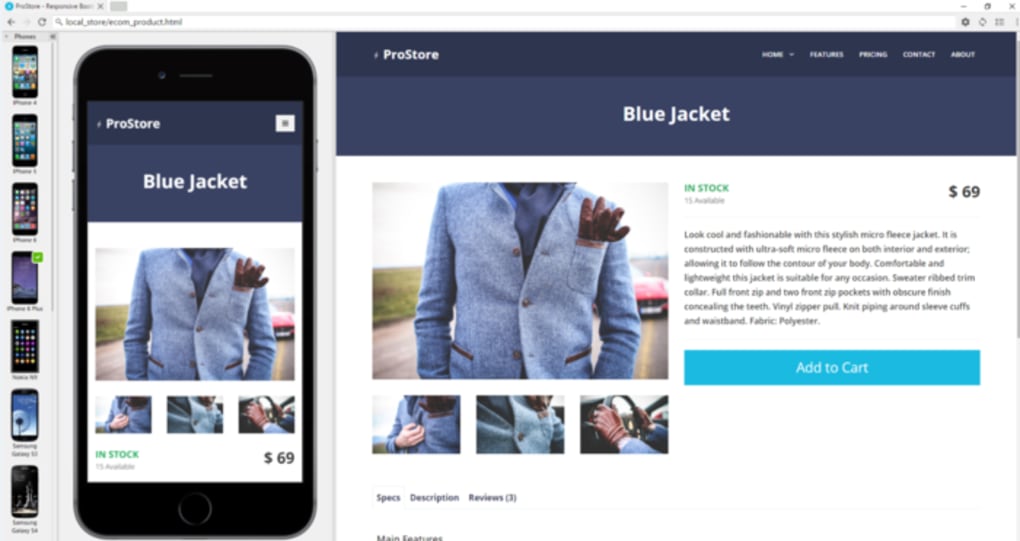
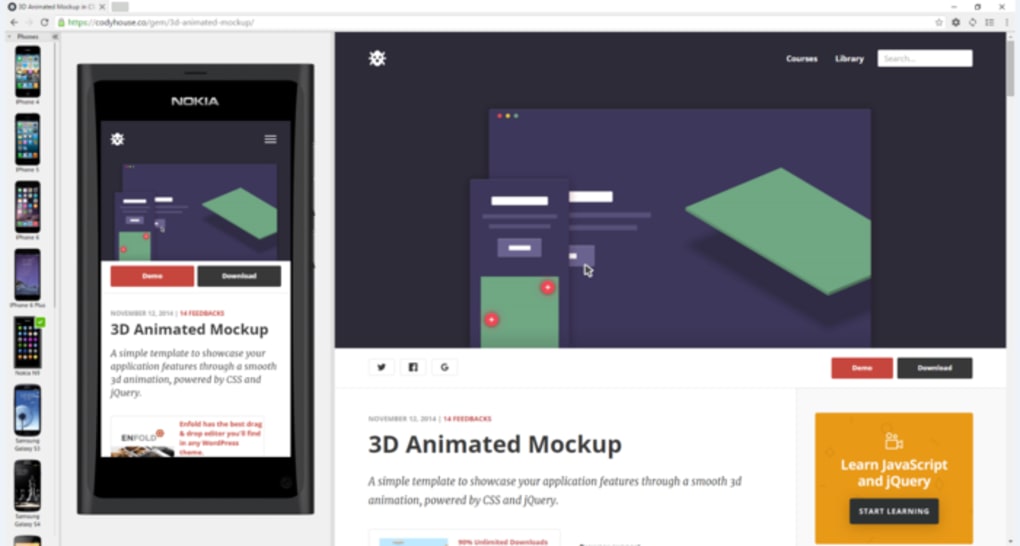
- Multi‑Device Emulation: Pre‑configured device frames for iPhone, iPad, Android phones, tablets, and popular desktop resolutions; each profile adjusts DPI, user‑agent, and viewport size.
- Integrated DevTools: Full Chrome DevTools integration with extra panels for network throttling, responsive screenshots, and layout inspection.
- Framework Detection: Recognizes Angular, React, Vue, and other front‑end frameworks, offering shortcuts to component inspection and state debugging.
- Cross‑Platform Support: Native installers for Windows 10/11, macOS Ventura and later, and major Linux distributions (Debian/Ubuntu, Fedora).
- Language & Localization: UI available in English, Spanish, German, French, Chinese, and Japanese, helping global teams work comfortably.
- Secure Sandbox: Each emulated device runs in an isolated process, preventing cross‑site scripting leaks and keeping your development environment safe.
- Exportable Screenshots & PDFs: Capture full‑page screenshots or generate PDFs directly from any device view for documentation or client approvals.
- Command‑Line Interface (CLI): Launch Blisk with custom profiles, URLs, or extensions via terminal, enabling automation in CI/CD pipelines.
- Premium Sync (optional): Cloud‑based profile synchronization across machines, ensuring that your device list and settings travel with you.
These features collectively reduce the friction that typically accompanies responsive design testing. By bundling device frames, live reload, and an enriched DevTools set into a single free browser, Blisk eliminates the need for multiple extensions or separate emulators. The result is a smoother, faster development loop that can shave hours off a typical sprint. Whether you’re polishing a static marketing page or debugging a complex single‑page application, the built‑in capabilities give you confidence that the site will render correctly on the devices your users actually own.
Installation, Usage & Compatibility – What You Need to Know
Step‑by‑Step Installation Guide
Getting Blisk up and running is straightforward. First, visit the official download page and select the installer that matches your operating system. For Windows, you’ll receive an .exe file; macOS users get a .dmg package; Linux users can choose a .deb or .rpm depending on the distribution.
Run the installer and follow the wizard prompts—accept the license agreement, choose an installation folder (the default works for most users), and let the process complete. After installation, launch Blisk from the desktop shortcut or your applications menu. The first launch presents a brief onboarding tour that highlights the live‑reload toggle, device bar, and how to open the extended DevTools panel.
Using Blisk for Real‑World Testing
Once opened, you can start by loading your local development server (e.g., http://localhost:3000) or any remote URL. To enable live reload, click the lightning‑bolt icon in the toolbar; Blisk will watch the folder where your project resides and automatically refresh the tab whenever a change is detected. The device bar, located just below the address bar, lists the pre‑configured devices.
Clicking a device swaps the viewport instantly, and you can add custom device dimensions via the settings menu. For deeper debugging, press F12 or click the DevTools icon to open the console, network, and performance panels. If you’re working with a framework like React, the “Components” tab appears automatically, allowing you to inspect component hierarchy and state.
Compatibility Across Platforms
Blisk supports the three major desktop operating systems. On Windows 10 and 11, it integrates with the native notification center to alert you when a file change triggers a reload. macOS users benefit from seamless dark‑mode detection, while Linux users can leverage the CLI to launch Blisk with specific profiles in headless mode for automated testing. System requirements are modest: at least 2 GB RAM, a dual‑core processor, and 150 MB of disk space for the core application. Because Blisk is built on Chromium, it inherits the same security patches and performance optimizations that power Google Chrome, ensuring a stable browsing experience even when testing heavy JavaScript applications.
Pros and Cons – A Balanced Look
- Pros:
- Instant live reload dramatically speeds up the edit‑preview cycle.
- Comprehensive device emulation without third‑party extensions.
- Integrated DevTools with framework‑specific panels.
- Cross‑platform availability keeps teams consistent.
- Free core version includes all essential testing features.
- Cons:
- Browser UI feels slightly heavier than Chrome due to extra panels.
- Switching between many device profiles can be confusing at first.
- Premium sync feature requires a paid subscription.
- Not ideal for casual browsing; optimized for development workflows.
FAQ and Final Thoughts – Should You Download Blisk?
Frequently Asked Questions
-
Is Blisk completely free?
The core application is free and includes live reload, device emulation, and DevTools. Premium features such as cloud sync and additional device profiles are available via a paid subscription.
-
Can I use Blisk for production browsing?
Blisk is optimized for development and testing. While it can browse the web, its extra panels and resource usage make it less suitable for everyday consumer browsing compared to standard browsers.
-
How does live reload detect file changes?
Blisk watches the project folder you specify in Settings. When a file with a recognized extension (HTML, CSS, JS, JSON) is saved, the browser receives a file‑system event and refreshes the active tab automatically.
-
Does Blisk support headless testing for CI pipelines?
Yes. You can launch Blisk from the command line with the
--headlessflag and specify a device profile, making it compatible with automated test suites like Selenium or Playwright. -
What browsers does Blisk use under the hood?
Blisk is built on the Chromium engine, which means it inherits Chrome’s rendering capabilities, security updates, and extension compatibility.
Conclusion – Should You Download Blisk?
If you spend a significant portion of your day tweaking HTML, CSS, or JavaScript and need an efficient way to see those changes instantly across multiple device formats, Blisk is a compelling addition to your toolkit. Its live‑reload engine removes the repetitive refresh step, while the built‑in device bar and enhanced DevTools keep you from juggling separate emulators or browser extensions. Although the UI can feel a bit heavier than a plain Chrome window, the productivity gains typically outweigh the extra screen real estate.
For teams that value consistency across Windows, macOS, and Linux, the cross‑platform support ensures that every developer works with the same testing environment. Even if you never opt for the premium sync plan, the free version delivers enough power to streamline most front‑end workflows. In short, download Blisk today, give its live preview a spin, and experience a smoother, faster path from code to confident, device‑ready deployment.
Download Blisk now and start testing your websites for free!
Pros: Live reload, multi‑device emulation, free core version.
Cons: Slightly heavier UI, learning curve for device profiles.







